
To catalog a big record collection without typing every record, work in four stages. Import any list you already have. Sort the rest of the shelf into stacks by how easy each record is to identify. Add the easy stacks one crate at a time, noting which crate each record lives in. Then settle the hard records in one final pass. Many people stall halfway because the job looks endless. Stacks fix that: each finished stack is done, even if you stop for a month.
Only have 30 records? The same steps fit in one evening, and you can skip the final pass.
| Stage | What you do | What you finish with |
|---|---|---|
| 1. Import | Bring in lists you already have | Nothing typed twice |
| 2. Stack | Sort each crate by how hard each record is to identify | A clear order of work |
| 3. Add | Add the easy stacks crate by crate | A list that says where each record is |
| 4. Decide | Settle the hard records in one sitting | Exact pressings where they matter |
Four words come up below:
- Pressing
- One production run of an album. Many albums were pressed several times. The exact one matters mostly if you sell or insure it.
- Catalog number
- The label's code for a release, such as PCS 7088.
- Runout
- The smooth band by the label, with codes etched or stamped into it.
- Wantlist
- The records you are looking for, kept apart from the ones you own.
How long does it take to catalog a big record collection?
Plan one crate or shelf per sitting. As a rough guide, a record that matches by barcode takes well under a minute. One you look up by hand takes a few minutes. One that needs the runout checked can take five or more. So if most of your records have barcodes, around 500 fits in a weekend. A collection of 5,000 takes several weekends.
What should you catalog first?
Start with anything already listed elsewhere. If you keep a Discogs collection, import it first, and bring your wantlist with it. Keep the wantlist apart from the records you own, so a record you want never counts as one you have. Imported records that already name an exact release can skip the pressing pass.
If your old list is a spreadsheet or a notebook, keep it open as a checklist. No list at all? Go straight to sorting the shelf.
Teca imports your Discogs collection and wantlist and keeps them separate. Your Discogs folders become Teca crates. Condition grades, notes and custom fields do not come over yet. Sending changes back to Discogs is a beta, and it stays off unless you turn it on.
How should you sort the shelf before you start?
Sort one crate at a time into four stacks.
| Stack | What goes in it | What to do with it |
|---|---|---|
| Already listed | Records that came in with your import | Count them against your list, then shelve them |
| Easy | Only one pressing exists, or you do not care which one you have | Add them in a batch |
| Several pressings | Records where the exact copy matters to you | Hold them for the final pass |
| Hard | No barcode, no sleeve, plain sleeve, white label | Hold them for the final pass |
In an older collection, the “Several pressings” stack can be most of the crate. If so, run the final pass after every few crates, so it never piles up.
Collectors we surveyed often have records spread across several rooms and crates, so finding one specific record can take a while. Before you add anything, give each crate or shelf a name, such as “Shelf A”, “Jazz crate” or “Under the stairs”. File every record under that name as you add it. Your catalog now also tells you where each record lives. The step is easy to skip, and it is the one you will use most after the weekend.
In Teca, make one crate per shelf. Imported Discogs folders already arrive as crates. You can then browse your shelves as 3D crates.
How do you add records without typing every one?
Add the easy stack one crate at a time, and check the matches before the next crate. A wrong match takes seconds to fix while the record is in your hand.
By hand, search by the catalog number rather than the title. On older records it may appear only on the label, and the spine and label sometimes differ, so trust the label. The number usually narrows the results to a few releases. Type only the records nothing else could find. A spreadsheet needs just seven columns: artist, title, label, catalog number, crate, pressing notes and condition notes.
Teca's bulk scan lets you scan barcodes one after another. Exact matches go in with one tap, and records that need a choice wait in To sort, so you can keep scanning. For records without a barcode, scan the front of the sleeve or the label. If you own two copies of a record, add both.
For a shelf of records standing spine-out, try the spine scanner (in beta). On the scan camera, tap Spines and photograph 5 to 12 spines at a time, straight on. Teca reads each spine, and you check every name against its spine before you add the batch.
What do you do with hard records and records with several pressings?
Settle them all in one pass at the end of each batch. Stopping mid-stack to research one record is where cataloging stalls. If you do not care which pressing you own, skip this section. Otherwise, for each record:
- Match the catalog number and the label to the listed pressings.
- Read the runout on side A and side B separately, and compare each line with the listed pressings. Our runout guide explains each part.
- Check the label design, the sleeve and the year.
- If more than one pressing still fits, write the candidates in its notes and leave it in its real crate.
A record with no sleeve starts at step 2.
A scan helps you find the likely match. The runout, label and sleeve together settle it. If the question is whether you own a first pressing, read First pressing or reissue? before you decide.
Should you grade condition while you catalog?
Usually, no. Most of a collection never needs a grade. Grade later, and only the records you might sell, insure or replace. For now, note only obvious problems: a crack, a warp, a split seam or a missing inner sleeve. Our condition guide covers what to look for when you do grade.
How do you keep the catalog current after the weekend?
Add each new record the day it comes home, straight into the crate where it will live. Keep separate wantlists for separate goals, such as long-term grails and a short list for the next record fair. In a shop, check your list before you buy, so you never buy a double.
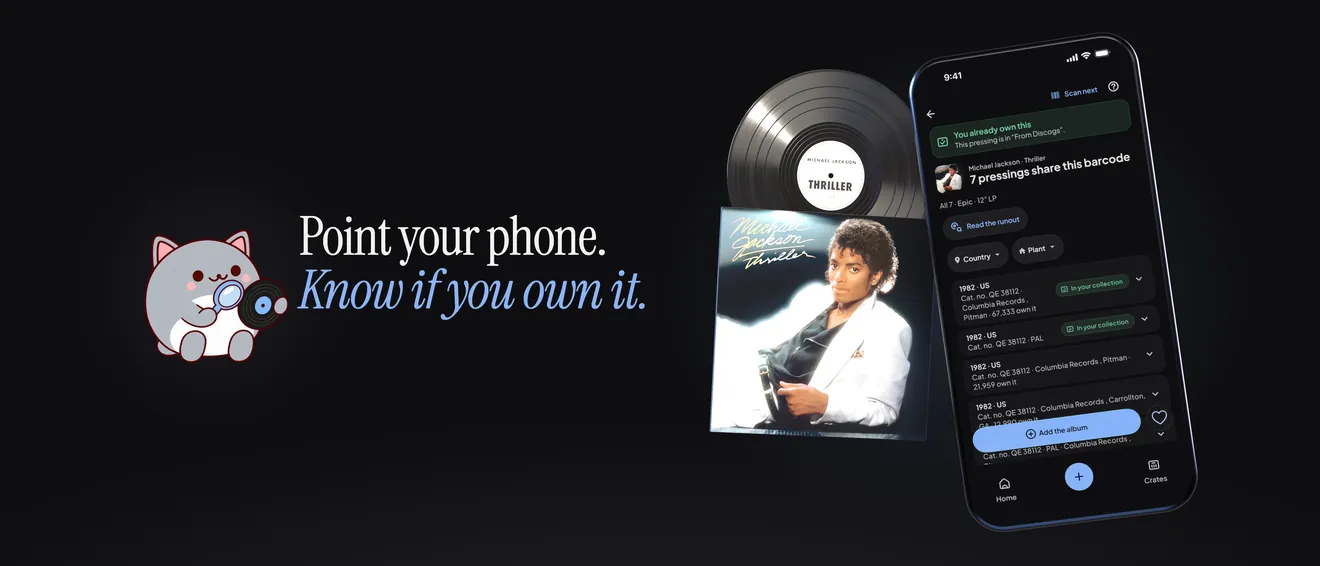
Teca keeps several wantlists, and in a shop you can scan a sleeve to check whether you already own it.
FAQ
How do you catalog a large vinyl collection quickly?
Import what you have already listed, then sort the rest into stacks by how easy each record is to identify. Add the easy stacks crate by crate, and settle the hard records in one pass at the end.
Can I catalog my records without an app?
Yes. A spreadsheet with columns for artist, title, label, catalog number, crate and notes follows the same four stages. An app mainly saves the typing.
Do I need the exact pressing of every record?
No. Pin it down for records you might sell, insure or care about most. For the rest, the album and its crate are enough.
What if I stop halfway?
Nothing is lost. Every finished crate is already cataloged, so start the next sitting at the next crate.